Before you share your invitation, it’s smart to first view it yourself via the unique URL. This way you see exactly what your guests will see. You can easily check the layout, texts, and features in one overview.
Open the link on both desktop and mobile. That way you know everything works well on every device.
Where do you find the URL of your invitation?
Each invitation has its own link. You can find it in your dashboard with your invitation.
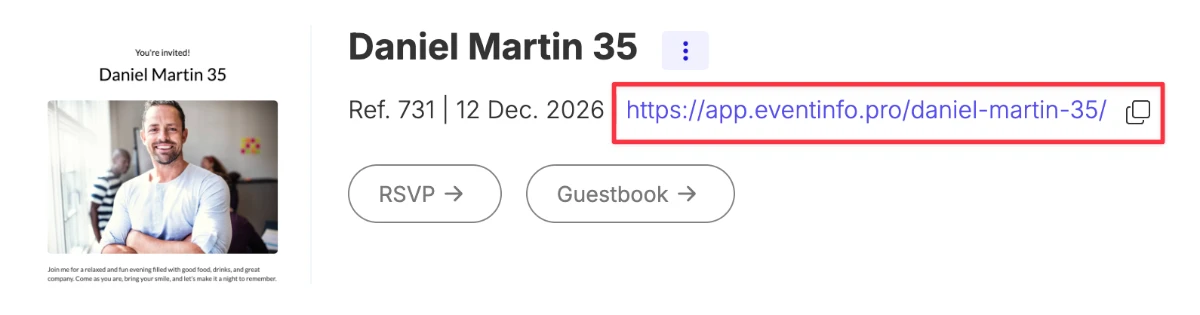
And on the page where you edit the online invitation.
What should you check before sharing?
Go through your invitation carefully. Pay special attention to these elements:
- Texts – Are names, spelling, and wording correct?
- Date and time – Are they clear and displayed correctly?
- Address – Does the route link work and is the address complete?
- Layout – Is everything well aligned and easy to read?
- Image – Is the photo positioned correctly and properly cropped?
Check the extra features
Your invitation includes useful features for guests. Always test these:
- RSVP – Can you sign up without issues?
- Save the date – Is the event correctly added to the calendar?
- Route – Does navigation open with the correct address?
- Guestbook – Can a message be posted successfully?
Check on mobile
Many guests will open the invitation on their phone. So open the link on your mobile or resize your browser window.
- Readability – Is the text easy to read without zooming?
- Order – Is everything displayed in a logical order?
- Buttons – Are they easy to tap?
Final check before sending
Does everything look good? Then you’re ready to share your invitation. You can still make changes later. Guests will automatically see the latest version via the same link.
Good to know: you don’t need to resend the link after small changes. Everything stays up to date on the same URL.